


PENUP – Drawing-sharing SNS
4.511.77K Reviews
App Specs
- Version
- Varies with Device
- Updated On
- License
- Free
- Downloads
- 100,000,000+
- Developer
- Samsung Electronics Co., Ltd.
- Categories
- Art & Design
- Platform
- Android
Screenshots
 Analysis by AppCompare
I see PENUP as a drawing app with a social side, rather than a social feed with drawing tools bolted on. That distinction matters: it is most rewarding when you want to make something, share it, and see what other people are trying. If you mainly need a private, highly configurable studio for finished client work, I would choose a dedicated illustration tool instead. But for casual sketching, guided practice, and friendly creative exchange, this is an approachable place to begin.
Making, learning, and sharing in one place
Made by Samsung Electronics Co., Ltd., PENUP is a free art and design app with a Teen content rating. It has been around since September 7, 2013, and its audience is substantial: more than 100 million installs, roughly 220,000 ratings, and about 12,000 written reviews. Its average rating sits at 4.5, which suggests broad appeal, though popularity alone does not tell you whether its style suits your work. I would judge it by the balance it strikes between drawing tools and community activity.
So, I downloaded PENUP from the app store, and right off the bat, I was impressed by its sleek and intuitive design. Signing up was a breeze, and in no time, I was ready to dive into the world of digital art. The app is available for both Android and iOS, making it accessible to a wide audience.
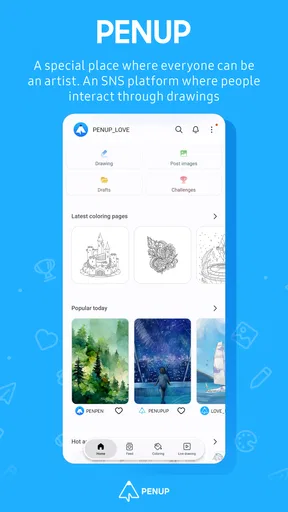
The interface is user-friendly, which is a huge plus if you're like me and prefer to spend more time drawing than figuring out how to navigate an app. The home screen greets you with a feed of artwork from other users, offering instant inspiration and a sense of community.
Tools that invite experimentation
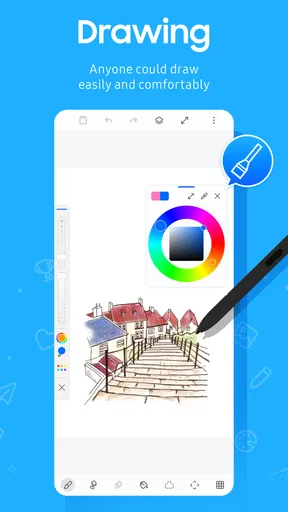
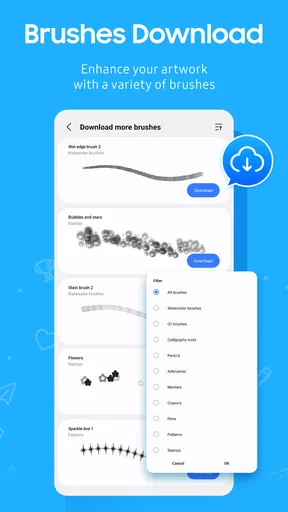
PENUP is packed with features that cater to both budding artists and seasoned pros. One of my favorites is the variety of brushes available. You can choose from pencils, markers, paintbrushes, and more. Each tool behaves differently, allowing you to create textures and effects that mimic real-life artistry.
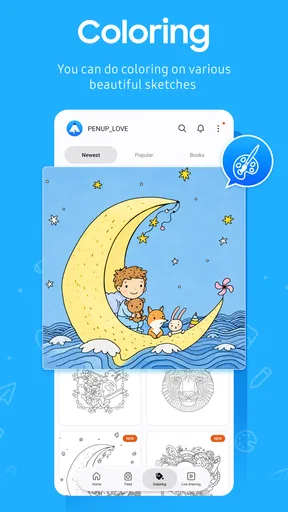
Another cool feature is the coloring book section. It’s perfect for unwinding after a long day. You can choose from a plethora of designs and get lost in a zen-like state of coloring. Trust me, it’s more therapeutic than it sounds!
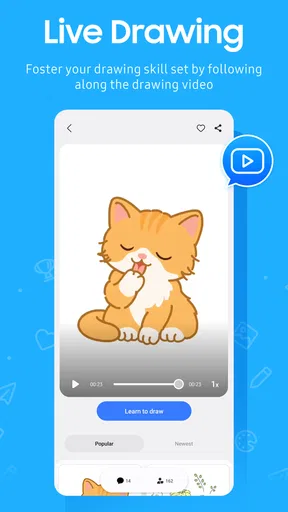
And let’s not forget about the tutorials. PENUP offers step-by-step guides that are perfect for learning new techniques or honing your skills. Whether you’re looking to master shading or learn about color theory, there’s something here for everyone.
Worth Reading Before You Choose

Baby Panda World Brings Quick Play to Modern Phones, but Its Game Library Feels Busy

ESPN’s Live Game View Makes Following Close Games Easier

QuizzLand Review: A Good Fit for Short Trivia Breaks, Not Every Player

Basketball Stars: Multiplayer Is Fast, but Can It Recover When Matches Go Wrong?

WEBTOON Turns Phone Updates Into a Better Reading Routine

Link to Windows Runs on Shared Habits, Not Social Feeds
For a beginner, I would treat the app’s different activities as separate kinds of practice rather than expecting one session to do everything. A quick coloring session is an easy way to relax without planning a composition; a tutorial gives you a specific skill to focus on; and a blank drawing gives you room to experiment. That separation makes it easier to open the app with a purpose instead of drifting immediately into the feed.
There is also a useful trade-off in having social discovery so close to the creative tools. Seeing other people’s work can give you a concrete idea to try—perhaps a different way of handling a subject or a color combination you would not have chosen yourself. But it can also make a casual drawing session feel like a comparison exercise. I get more from the community when I look for one technique to learn, then return to my own canvas, rather than judging my sketch against polished posts.
A community that can motivate—or distract
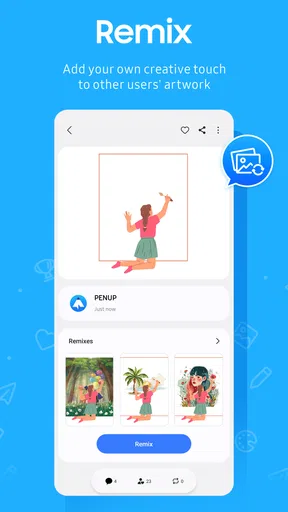
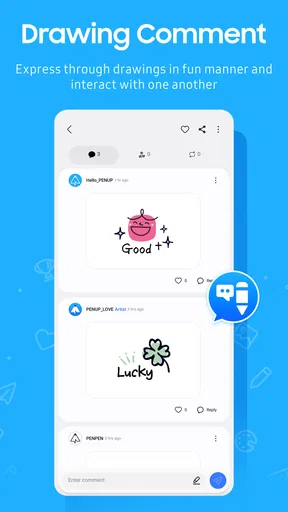
Once you’ve created a masterpiece, sharing it is a breeze. PENUP allows you to upload your artwork for the community to see. Engaging with other artists is also a huge part of the experience. You can like, comment, and even collaborate with others, making it a truly interactive platform.
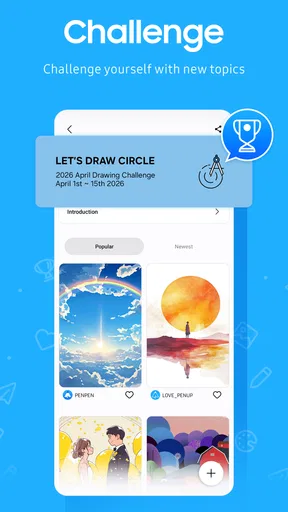
The app also hosts regular challenges and contests. These are a great way to push your creative boundaries and gain recognition. Plus, who doesn’t love a bit of healthy competition?
Challenges are most useful when I approach them as prompts, not as a test of talent. A theme can help when I am short on ideas: I can make a small study, share it, and move on without treating the response as a verdict on my ability. If public participation is not your thing, the drawing and coloring activities can still be worthwhile; the social layer is a reason to use PENUP, not a requirement to make every session public.
A realistic use for the app is a short break between other tasks. I might open it while waiting for an appointment, work through part of a coloring design, or sketch an object nearby, then return later to browse what other users have made. That kind of stop-and-start use suits a casual creative habit better than a long, uninterrupted production session. If you are making a detailed piece, it helps to decide in advance whether you are there to draw or to browse, because the feed can easily absorb the time you meant to spend practicing.
Where it fits among drawing apps
Compared with a conventional drawing program, PENUP puts more emphasis on seeing and sharing other people’s work. That makes it a better fit for someone who wants encouragement, prompts, or a low-pressure way to show sketches than for someone who needs a specialized workspace for complex illustration. A dedicated art app is the more sensible choice when you need a particular professional workflow; a general social network is less focused on making drawings. PENUP sits between those options, and that middle ground is its clearest strength.
I would recommend it especially to newcomers who want to practice without first mastering a complicated interface, hobby artists who enjoy posting work, and anyone who finds coloring relaxing. It can also suit an experienced artist looking for a light sketching space or a community prompt, but I would not make it my only tool for demanding production work. If you prefer to keep every drawing private, dislike comments and public feeds, or know that browsing tends to displace your own practice, a standalone drawing app will likely feel more focused.
What to expect from everyday use
One practical question is whether you need to be an artist to get something out of it. I do not think so. Coloring and guided lessons give a beginner an easy first step, while the open-ended drawing tools leave room to grow. You can begin with a simple study rather than waiting until you have an ambitious idea. The value is in making the habit approachable, not in turning every sketch into a finished portfolio piece.
Another question is whether sharing is essential. The app is built around a social experience, so community content is part of its identity, but you can still use the creative activities for your own enjoyment. If you want a completely private digital notebook, though, a tool designed around personal files will be a more natural choice. I would also keep expectations measured about social response: posting makes your work visible to others, but visibility is not the same as guaranteed feedback or recognition.
For parents considering it, the Teen rating is a helpful starting point, not a substitute for deciding whether a social art community is appropriate for a particular young person. I would talk through what they plan to share and how they want to interact online, just as I would with any app that includes public-facing creative activity. For adults who want a low-pressure art space, that same community element can make drawing feel less solitary.
The app is free, which makes trying its basic creative and community approach an easy decision. I would still choose based on the kind of work I want to do rather than assuming one drawing app can cover every need. PENUP’s appeal is its combination of approachable making, guided activities, and a place to discover other artists; it is not that it replaces every specialist tool.
A welcoming starting point, with a clear boundary
Overall, my time with PENUP has been nothing short of enjoyable. It’s a beautifully crafted app that not only lets you create but also connects you with a community of like-minded individuals. Whether you’re a professional artist or someone who just enjoys doodling, PENUP offers something for everyone.
The only downside? I sometimes find myself spending way too much time scrolling through the endless feed of stunning art! But hey, if that’s the price for creativity and inspiration, I’m more than willing to pay it.
That drawback is worth taking seriously if your aim is regular practice. A simple boundary—choosing a drawing prompt before opening the feed, or saving browsing for after a sketch—can help keep inspiration from turning into passive scrolling. I also would not pick the app expecting advanced studio control simply because it offers several kinds of brushes; the social, accessible character is more central than a specialist production workflow.
So, if you’re looking for a platform to unleash your creativity, give PENUP a try. You might just find your new favorite artistic outlet.
My recommendation is clearest for people who want creativity to feel easy to start: beginners, casual sketchers, coloring fans, and artists who like sharing work or discovering fresh prompts. If you need a focused professional canvas or would rather draw without a social layer, another kind of art app will serve you better. For everyone in between, PENUP makes a convincing case as a friendly place to practice, unwind, and let a small idea become a drawing.
Pros
- User-friendly interface for beginners.
- Wide variety of drawing tools.
- Active community for feedback.
- Regular art challenges and events.
- Free to use with no hidden costs.
Cons
- Limited advanced editing features.
- Occasional app crashes reported.
- No offline mode available.
- Ads can interrupt drawing sessions.
- Limited export options for high-res images.
FAQs for PENUP – Drawing-sharing SNS
What is PENUP and how does it work?
PENUP is a social networking platform designed for art enthusiasts, specifically those who love drawing and sharing their artwork. The app allows users to create digital art using various tools and share their creations with a community of like-minded individuals. It also offers features like challenges and coloring exercises to inspire creativity and improve skills.
Is PENUP free to use, or does it have any in-app purchases?
PENUP is free to download and use, allowing users to access a wide range of features without cost. However, the app may offer optional in-app purchases for additional tools or features that enhance the drawing experience. These purchases are not necessary for the basic use of the app.
What devices are compatible with PENUP?
PENUP is available for both Android and iOS devices. It is optimized for Samsung Galaxy devices, offering enhanced functionality with the S Pen. Users on other devices can still access the core features, but may experience differences in performance or tool availability.
Can I use PENUP offline, or do I need an internet connection?
While PENUP can be used offline for creating and saving artwork, an internet connection is required to access community features such as sharing your art, participating in challenges, and browsing other users' creations. To fully enjoy the social aspects of the app, staying connected is recommended.
How does PENUP ensure a positive community experience?
PENUP fosters a positive and supportive community by implementing guidelines that promote respectful interaction among users. The app encourages constructive feedback and offers moderation tools to report inappropriate content. This helps maintain a welcoming environment for artists of all skill levels.


